Plant Identifier AI
Coming soon to Android

Know every plant.
Keep them all alive.

Point your camera at anything green. Get its name in seconds, a straight answer when the leaves start turning, and reminders that mean you never kill another one by forgetting.

Free to use, no account needed to try. Launching on Google Play — email us and we'll tell you the day it's live.

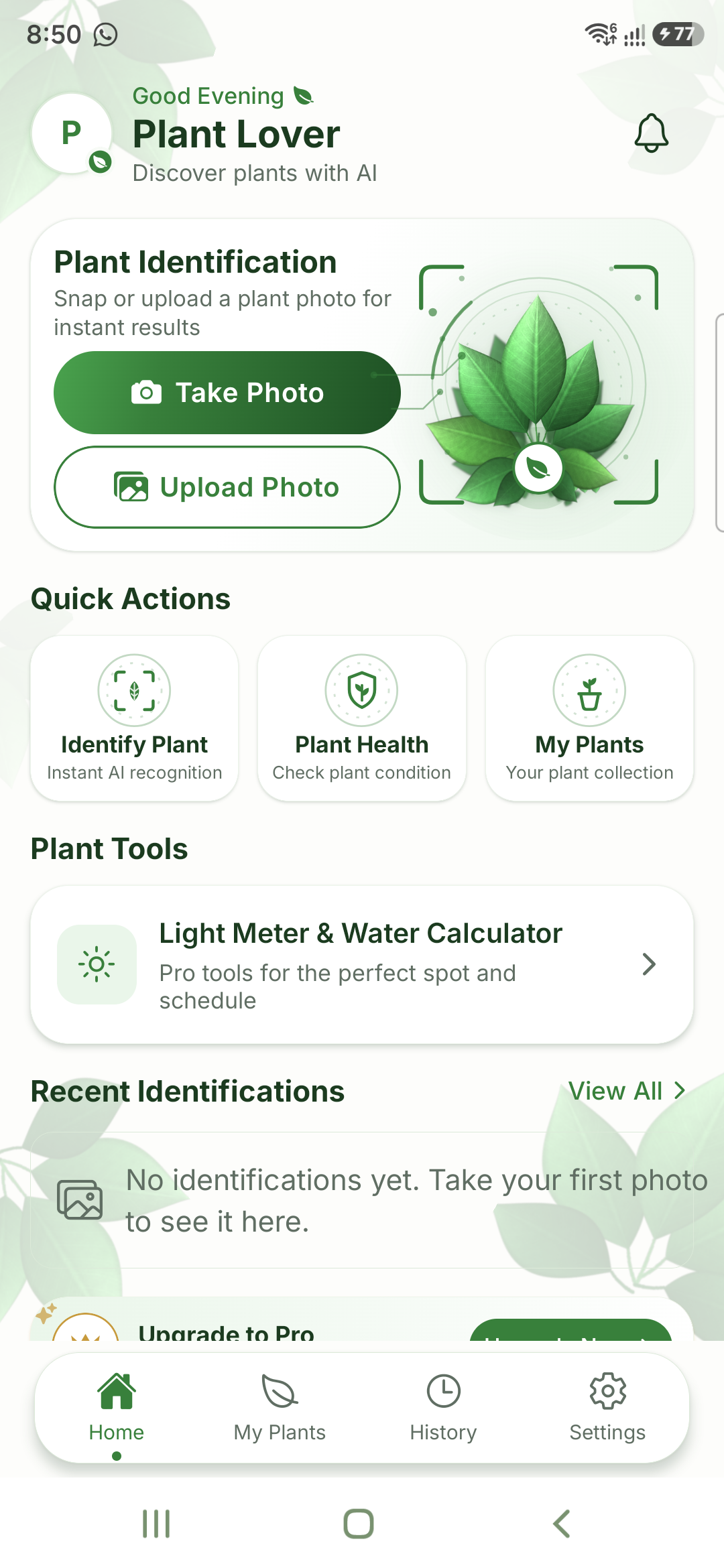
The Plant Identifier AI home screen, showing Take Photo and Upload Photo buttons, quick actions for identifying a plant and checking plant health, and the plant tools section.
How it works

Three taps from mystery plant to care plan

No plant knowledge required. That is rather the point — the app is for people who like plants more than they understand them.

STEP 01

Snap it

Photograph the plant, or pick a photo you already have. The app checks the shot is sharp enough before it uses one of your scans, so a blurry leaf never comes back as "unknown".

STEP 02

Know it

You get the species, its common names, a confidence score, and a full care profile — light, water, soil and humidity — written as instructions rather than botany.

STEP 03

Keep it

Save it to your collection, give it a name and a spot in the house, and set reminders. The app remembers the schedule so you do not have to.

What's inside

Everything you need to stop guessing

Instant identification

Species, common names and a confidence score from a single photo, powered by Pl@ntNet's botanical database.

Health diagnosis

Yellowing, spots, drooping, crisp edges. Photograph the problem and get the likely cause and what to change.

Care reminders

Watering, misting, feeding, repotting and rotating — on your schedule, in your time zone, with a calendar per plant.

Growth timeline

Add a photo whenever you like and watch a plant fill out over months — the clearest proof you are doing it right.

Light meter

Read the light in a room through the camera and find out what will actually thrive on that windowsill.

Plant Pro

Water calculator

Pot size, soil type and season turned into an actual amount of water, instead of a guess and a hope.

Plant Pro
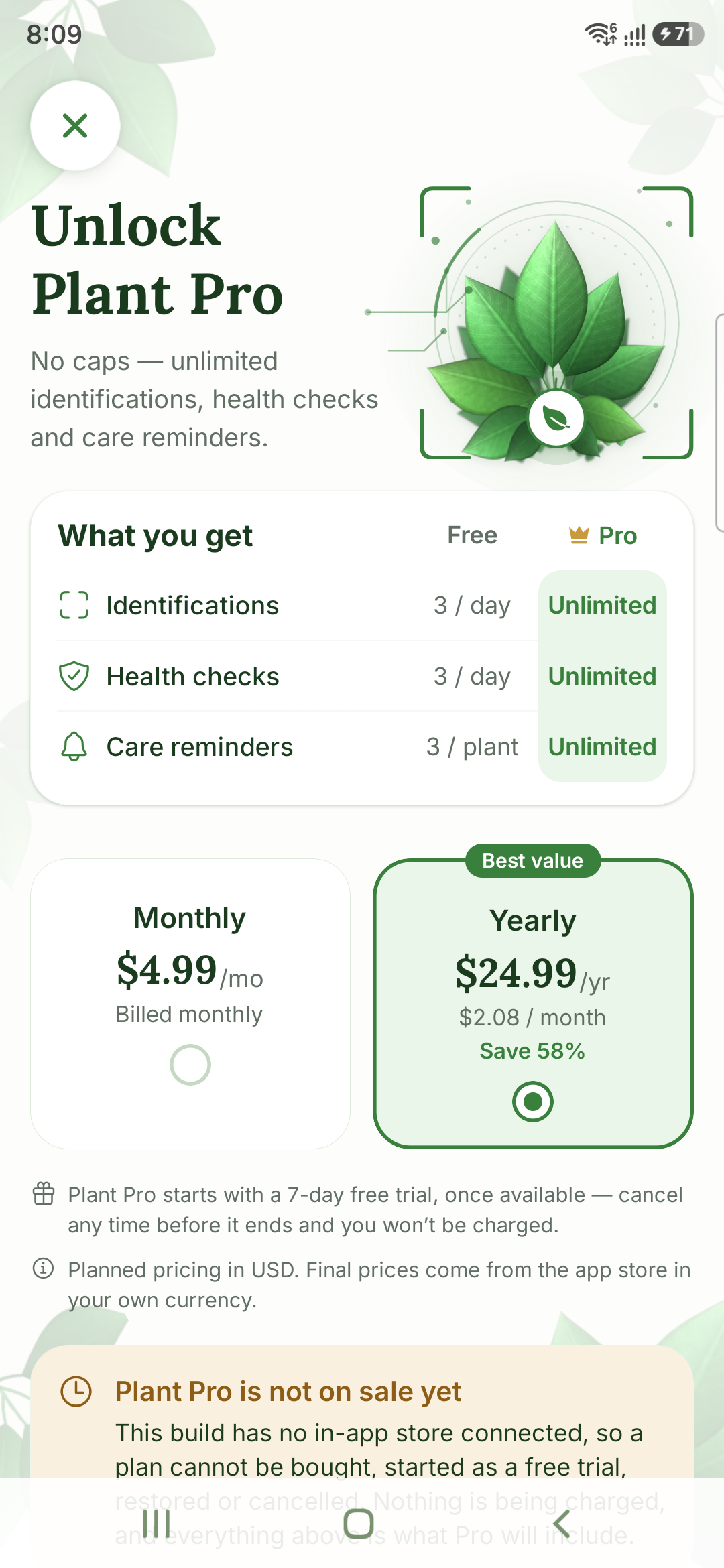
The Plant Pro screen, comparing the free plan's monthly allowance against unlimited identifications, health checks and care reminders on Pro, with monthly and yearly pricing.
Plant Pro

For the point where twenty a month stops being enough

Unlimited identifications and health checks Catalogue an entire balcony in one sitting, every month, without hitting a wall.
Unlimited care reminders Every plant, every task, no cap per plant.
The light meter and water calculator The two tools that turn "somewhere bright" into a real answer.
Pricing

Start free. Upgrade if you outgrow it.

Planned pricing in USD. Final prices come from Google Play in your own currency.

Free

$0

No account needed to try

  • 20 identifications a month
  • 10 health checks a month
  • Unlimited saved plants
  • Care reminders and calendar
  • Growth photo timeline
Best value

Plant Pro

$24.99 / year

or $4.99 monthly · about $2.08 a month yearly

  • Unlimited identifications
  • Unlimited health checks
  • Unlimited care reminders
  • Light meter
  • Water calculator
Questions

Before you ask

Do I need an account?

No. You can use the app as a guest and start scanning straight away. Creating an account is what lets your collection survive a reinstall or follow you to a new phone.

How accurate is the identification?

Identification runs on Pl@ntNet's botanical database and returns a confidence score rather than pretending to certainty. A clear, well-lit photo of leaves or flowers gives the best result — which is why the app checks your photo is sharp before spending a scan on it.

Does it work offline?

Your saved plants, care schedules and reminders are all readable offline. Identifying a new plant and running a health check need a connection, because that is where the analysis happens.

What happens to my photos?

They are private to your account and never shown to other users. Photos submitted for identification are sent to Pl@ntNet, the service that performs it. The full detail is in our Privacy Policy.

Can I delete everything?

Yes, from inside the app — Settings, then Delete account. It removes your plants, photos and history from our servers immediately. You can also export a copy of your data first. See Delete your data.

How do I cancel Plant Pro?

Through Google Play, like any Android subscription — the app links you straight to the right page. Cancel any time before a free trial ends and you will not be charged.
Your plants are trying to tell you something.

Find out what. Plant Identifier AI is launching on Google Play — be first to know.